The best SD cards for the LUMIX S9
The S9 shoots 6K, so it must need the fastest, most expensive card, right? Not quite. Here's the speed the S9 actually needs, why V90 is overkill for its video, and the cards worth buying without wasting money.

The best SD card for the LUMIX S9 is a UHS-II V60 SDXC card — the ProGrade Digital V60 or Sony TOUGH V60 in 128GB are the value picks. The S9 tops out at a 200 Mbps bitrate (about 25 MB/s), so a V60 card's 60 MB/s minimum clears every video mode with headroom to spare, while UHS-II speeds up burst shooting and offloading.
Save your money on V90 — it's genuinely unnecessary for the S9's video. Only reach for it if you want maximum headroom for high frame-rate bursts and the fastest possible transfers.
Some card links below are Amazon affiliate links. If you buy through them, LumiLUTs may earn a small commission, at no extra cost to you.
Amazon affiliate links. As an Amazon Associate, LumiLUTs earns from qualifying purchases, at no extra cost to you.
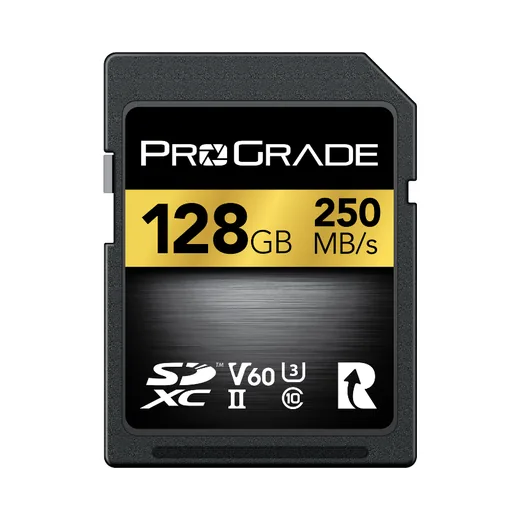
Clears every S9 video mode with headroom, plus UHS-II speed for bursts and offloads.
Check price on Amazon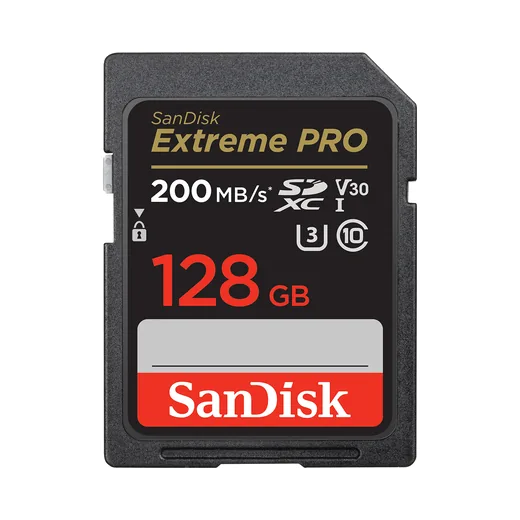
The cheapest card that still handles the S9's photos and most 4K video.
Check price on Amazon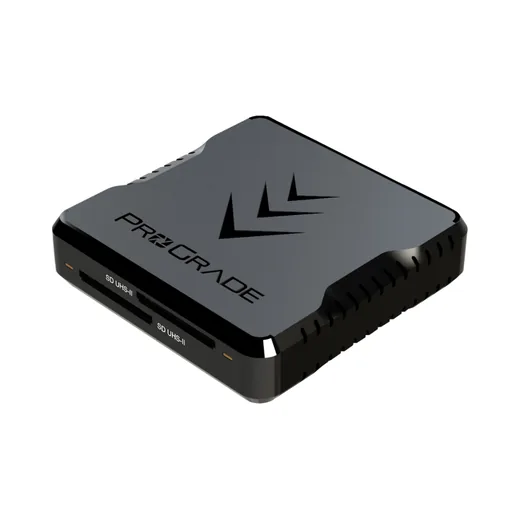
Without a UHS-II reader, a fast card offloads at slow UHS-I speed.
Check price on AmazonWhat the S9 actually needs
The number that matters is sustained write speed. The S9's fastest mode is 6K 30p at 200 Mbps, which is only about 25 MB/s of data. Every card class below already exceeds that. Speed ratings show the guaranteed minimum write speed, so higher just means more headroom, not "required."
The black bar is what the camera demands; V60 (highlighted) is the value pick — comfortably above it, with UHS-II speed for stills and transfers. V90's extra headroom goes unused by the S9's video.
So why not just buy the cheapest V30? Two reasons: UHS-II clears the photo buffer faster during bursts, and it transfers footage to your computer roughly two to three times faster with a UHS-II reader. That daily convenience is what you're paying for, not raw video capability.
Which card does your LUMIX need?
The picks below carry across most LUMIX bodies — the only thing that changes is the bitrate ceiling. Match the class to your camera:
| Camera | Max bitrate | Card to buy | Notes |
|---|---|---|---|
| LUMIX S9 | 200 Mbps | UHS-II V60 | V90 unnecessary |
| LUMIX S5II | 200 Mbps | UHS-II V60 | Identical story to the S9 |
| LUMIX S5IIX | up to 600 Mbps (ALL-Intra) | UHS-II V90 | ProRes records to an external SSD |
Rule of thumb: standard Long-GOP bodies like the S9 and S5II are happy on V60; only high-bitrate ALL-Intra or ProRes bodies like the S5IIX actually need V90.
The picks
ProGrade Digital V60 UHS-II
The value-per-dollar champion for the S9. Rock-solid sustained writes well past what the camera needs, UHS-II transfer speeds, and a brand photographers trust. Buy this in 128GB and don't think about it again.
Sony SF-M V60 UHS-II
Sony's V60 UHS-II card, rated 277 MB/s read and 150 MB/s write. Comfortably past what the S9 asks of a card, from a brand most people already have in the bag.
Lexar Silver PRO V60 UHS-II
Lexar's V60 UHS-II, rated 280 MB/s read. Everything the S9 needs from a name brand, and an easy second card to keep in the bag as a spare.
Sony TOUGH SF-G V90 UHS-II
Overkill for the S9's video, but the fastest cards clear bursts instantly and offload quickest. Worth it only if you want maximum margin, or share cards with a higher-bitrate body like the S5IIX.
ProGrade Digital V90 UHS-II
A slightly cheaper V90 alternative to the Sony TOUGH, with the same "more than you need" performance. Same advice: only buy V90 if you specifically want the ceiling.
SanDisk Extreme Pro UHS-I V30
Cheapest card that still comfortably runs the S9's photo and most 4K video modes (25 MB/s sits under V30's 30 MB/s floor). You lose UHS-II's fast buffer and transfer, so treat it as a budget or backup card.
ProGrade Digital UHS-II SD reader
The other half of UHS-II speed. Without a UHS-II reader you'll never see the fast transfers your card is capable of. A cheap upgrade that saves real time on every offload.
Quick comparison
| Card | Bus | Speed class | Min write | Best for | Buy |
|---|---|---|---|---|---|
| ProGrade Digital V60 | UHS-II | V60 | 60 MB/s | The default S9 card | Check price |
| Sony SF-M V60 | UHS-II | V60 | 60 MB/s | Known-brand spare | Check price |
| Lexar Silver PRO V60 | UHS-II | V60 | 60 MB/s | Name-brand spare | Check price |
| Sony TOUGH SF-G V90 | UHS-II | V90 | 90 MB/s | Maximum headroom | Check price |
| ProGrade Digital V90 | UHS-II | V90 | 90 MB/s | Pro margin, lower cost | Check price |
| SanDisk Extreme Pro V30 | UHS-I | V30 | 30 MB/s | Budget / backup | Check price |
How to choose
Want one card and done? The ProGrade Digital V60 in 128GB. It's the right answer for the overwhelming majority of S9 owners.
Shooting a lot of 6K or C4K video? Still V60 — just size up to 256GB so you're not swapping cards mid-day.
On a tight budget? A SanDisk Extreme Pro UHS-I V30 runs the camera fine; spend the savings on a UHS-II reader later.
Share cards with an S5IIX or shoot high-frame-rate bursts? That's the one case for V90 — otherwise it's money the S9 can't use.
Only buying one accessory? Make it a UHS-II reader. It's the cheapest upgrade that makes every card you own feel faster.


Our Kodak Portra 400 rendering: warm, forgiving skin tones and gentle contrast that holds together in almost any light.
A 33-point .cube plus the illustrated install guide. Instant download, yours forever, personal and commercial use.
LUMIX S9 SD card FAQ
What SD card does the LUMIX S9 need?
A UHS-II V60 SDXC card is the sweet spot. The S9 tops out at a 200 Mbps video bitrate (about 25 MB/s), so a V60 card's 60 MB/s minimum write speed clears it with plenty of headroom, while UHS-II also speeds up burst shooting and offloading to your computer.
Do I need a V90 card for the LUMIX S9?
No. Because the S9's maximum video bitrate is 200 Mbps (about 25 MB/s), a V90 card is unnecessary for its video modes. V90 only buys extra headroom for high frame-rate bursts and the fastest possible offload. For most people a UHS-II V60 card is the better value.
Does the LUMIX S9 support UHS-II SD cards?
Yes. The S9 has a single SD slot that is UHS-II compatible and accepts SD/SDHC/SDXC cards up to 512GB. UHS-II is worth it mainly for faster burst clearing and much faster transfers to a computer with a UHS-II reader.
What size SD card is best for the LUMIX S9?
128GB is the practical sweet spot for mixed photo and video. Choose 256GB if you shoot a lot of 6K or C4K, and keep a spare 128GB in the bag rather than relying on one large card, since the S9 has only one slot.
Can I use a cheaper UHS-I card in the S9?
Yes. A good UHS-I V30 card such as the SanDisk Extreme Pro handles the S9's everyday photo and most 4K video modes, since 25 MB/s is below V30's 30 MB/s minimum. You lose UHS-II's faster buffer clearing and transfer speeds, so it is best as a budget or backup card.
Keep going
Card sorted? Keep the S9 small with the best compact lenses for the S9, then see the best LUTs for the LUMIX S9 or grab a free LUMIX LUT to shoot film looks straight out of camera. New to it all? Start with what a Real Time LUT is, or browse all LUMIX guides.