LUMIX S9 firmware 2.1: what's new and how to update
Panasonic's next free update for the S9 brings 4K 60p in the lighter MP4 (Lite) format, turns the Lens Fn button on lenses like the new 20mm F2.5 into a real shortcut, and connects the S9 to the LUMIX Flow app. Here's everything it changes, and how to install it safely.
Public release at 1:00 UTC. Free for every S9, from Panasonic's support site or the LUMIX Lab app.
Plus Full HD 120p, 100p, 60p and 50p, in a 10-bit format with roughly half-size files.
Nine more functions for the Lens Fn button, including Crop Zoom, and LUMIX Flow app support.
Should you update? Yes, if you shoot video or own a lens with a Lens Fn button. Update with a charged battery and an SD card from your computer rather than over the app, which is how Panasonic advised owners to install the previous update.
What's new in S9 firmware 2.1
4K 60p and FHD 120p in MP4 (Lite)
MP4 (Lite), the S9's lighter recording format, gains 4K at 60p and 50p and Full HD at 120p, 100p, 60p and 50p, frame rates it didn't offer before. PetaPixel describes MP4 (Lite) as 10-bit 4:2:0 recording with files about half the size of standard MP4, which suits phone editing and the S9's pocket-camera workflow. Panasonic has not yet published bitrates or any crop for the new modes; we'll add them on release.
More functions for the Lens Fn button
Lenses with a Lens Fn button, including the new Lumix S 20mm F2.5 and the 40mm F2, can now trigger far more from the barrel:
- Aspect Ratio
- E-Stabilization (Video)
- Boost I.S. (Video)
- Image Area of Video
- Focus Ring Control
- Hybrid Zoom
- Crop Zoom
- Focus Peaking
- Video Record
Crop Zoom on the lens button is the useful one on a small prime: a quick press gives you a tighter framing without changing lenses. If you're choosing between those two primes, see our 20mm F2.5 vs 40mm F2 vs 18mm F1.8 comparison.
LUMIX Flow support
The S9 works with LUMIX Flow from version 1.7.0, Panasonic's filmmaking app. PetaPixel reports it can act as an external video monitor and includes storyboarding and scripting tools.
LUMIX Lab 3.1.1, released alongside
The companion LUMIX Lab update adds MP4 (Lite) support for the S9, filtering LUTs by category, and downloadable LUT packs. How you load and use Real Time LUTs does not change.
How to update the S9 firmware
The computer and SD card method takes a few minutes and avoids relying on a phone connection mid-update. These steps follow Panasonic's own SD card instructions.
- Charge the battery fully. Panasonic warns an update can fail on a low battery.
- Format an SD card in the camera. Use a reliable, name-brand card.
- Download the S9 firmware from Panasonic's support site on or after 13 October, and check it is newer than the version on your camera. Extract the file if it arrives compressed.
- Copy the firmware file to the root of the card with a card reader, not into a folder.
- Put the card in the S9, switch it on and start the update from the firmware version item in the camera's menu.
- Leave it alone. Don't switch off, remove the card or battery, or detach the lens until the camera restarts.
- Check the version in the same menu shows 2.1.
LUMIX Lab can install firmware too. But when firmware 2.0 arrived in June 2026, DPReview reported some owners ran into problems updating through the app, and Panasonic advised updating with a computer instead. On release day, the SD card route is the low-risk option.
Some links below are Amazon affiliate links. If you buy through them, LumiLUTs may earn a small commission, at no extra cost to you.
Amazon affiliate links. As an Amazon Associate, LumiLUTs earns from qualifying purchases, at no extra cost to you.
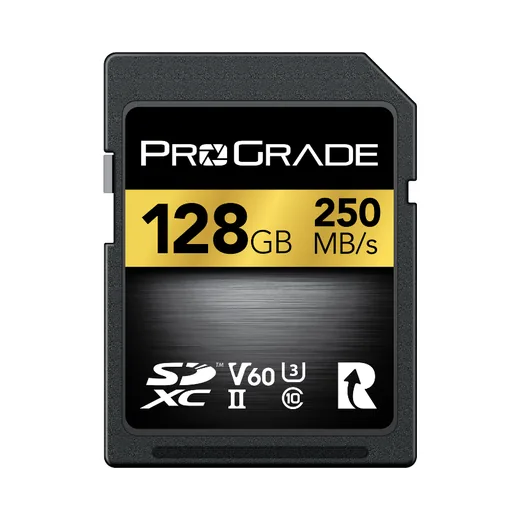
Handles every S9 video mode today with room to spare.
Check price on Amazon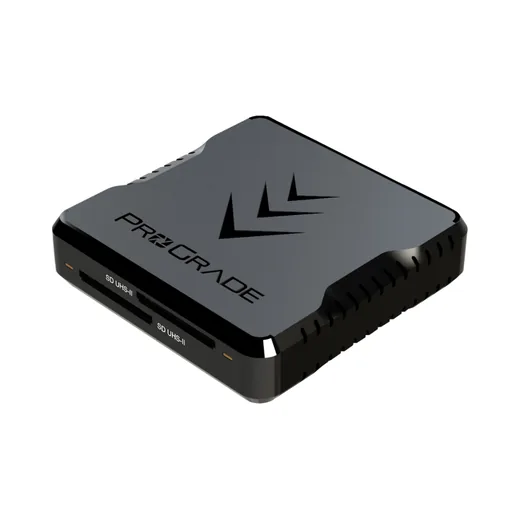
Copies the firmware file across, then offloads 4K 60p fast.
Check price on Amazon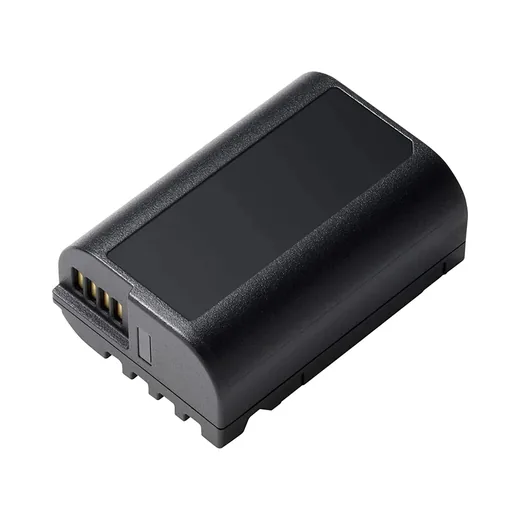
Update on a full battery, and keep a spare for long video days.
See options on AmazonWhich card does your LUMIX need? See the SD card guide and the S9 starter kit.
Other LUMIX updates on 13 October
The S1RII, S1II, S1IIN and S1IIE get firmware that improves shutter release response and burst shooting when an external flash is attached. No other bodies are included in Panasonic's announcement.


Our Kodak Portra 400 rendering: warm, forgiving skin tones and gentle contrast that holds together in almost any light.
A 33-point .cube plus the illustrated install guide. Instant download, yours forever, personal and commercial use.
S9 firmware 2.1 FAQ
When is LUMIX S9 firmware 2.1 released?
Panasonic has scheduled LUMIX S9 firmware version 2.1 for public release on 13 October 2026 at 1:00 UTC. It is a free update.
What does S9 firmware 2.1 add?
4K 60p and 50p plus Full HD 120p, 100p, 60p and 50p recording in MP4 (Lite), more functions you can assign to a lens's Lens Fn button (including Crop Zoom, Hybrid Zoom, Focus Peaking and Video Record), and support for the LUMIX Flow app from version 1.7.0.
Does the LUMIX S9 get 4K 60p with firmware 2.1?
Yes, in the MP4 (Lite) format. Panasonic describes MP4 (Lite) as 10-bit 4:2:0 recording with files roughly half the size of standard MP4, according to PetaPixel's report on the announcement.
How do I update the LUMIX S9 firmware?
Download the S9 firmware file from Panasonic's support site, copy it to the root of a freshly formatted SD card with the camera battery fully charged, then start the update from the firmware item in the camera's menu. Do not turn the camera off until it restarts. You can also update through the LUMIX Lab app.
Is it safe to update the S9 through the LUMIX Lab app?
When firmware 2.0 arrived in June 2026, DPReview reported that some owners had problems updating through LUMIX Lab, and Panasonic advised updating with a computer and SD card instead. The SD card method is the safer choice on release day.
Do I need a faster SD card for 4K 60p on the S9?
Probably not. Panasonic has not published the MP4 (Lite) bitrates yet, but the format is designed for smaller files, and the S9's most demanding existing mode records at 200 Mbps, which a UHS-II V60 card already handles with room to spare. We will confirm on release.
Will my Real Time LUTs still work after the update?
Yes. Firmware 2.1 does not change how Real Time LUTs load or apply, and the matching LUMIX Lab 3.1.1 update adds LUT category filters and downloadable LUT packs.
Sources: Panasonic firmware and app announcement, PetaPixel on S9 firmware 2.1, DPReview on the firmware 2.0 app issue, Panasonic SD card firmware instructions, Panasonic update procedure.
Keep going
Getting the most from your S9? Dial in the best S9 photo settings, load a film look with LUTs for the LUMIX S9, and see the new 20mm F2.5 compared with the 40mm F2 and 18mm F1.8.